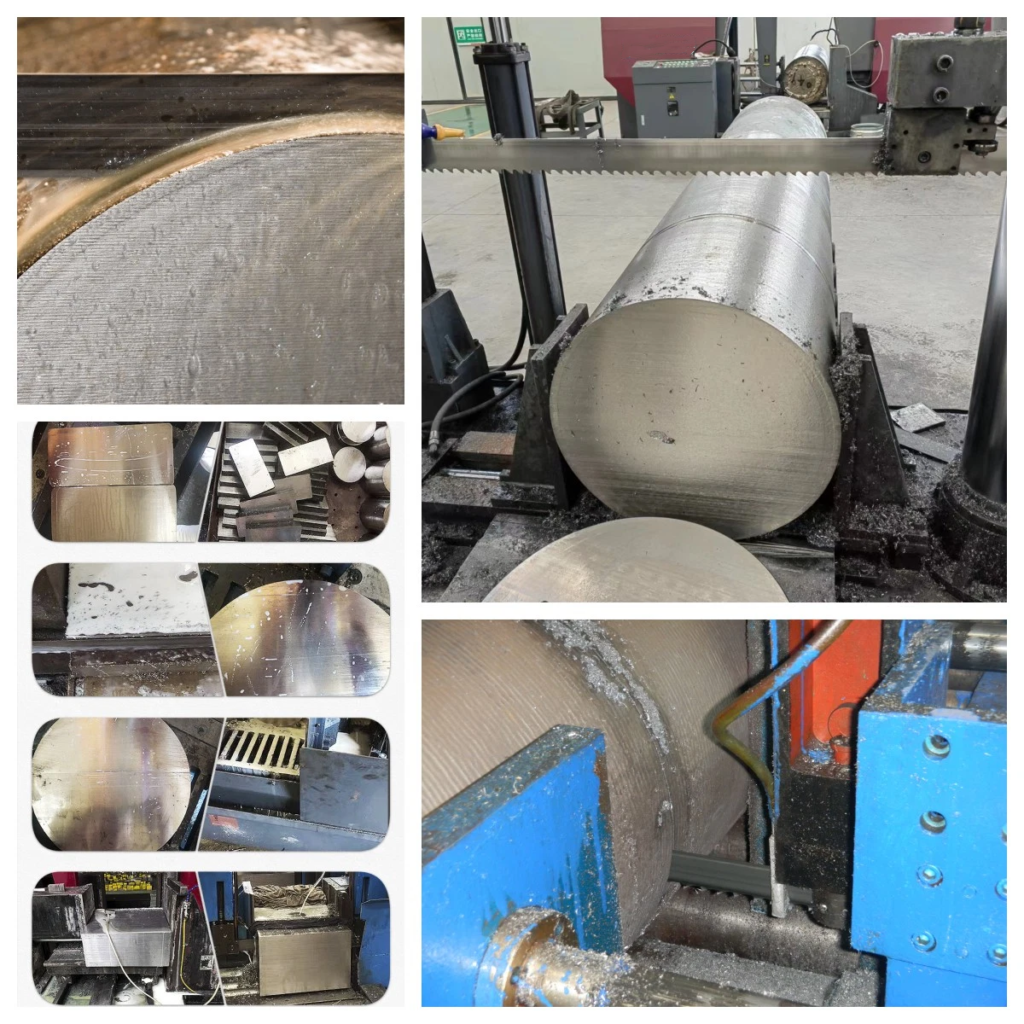
Is your new band saw blade cracking prematurely? This frustrating problem wastes money and stops production. You need a blade that lasts, but yours fails almost immediately after installation.
The most common reasons for a new band saw blade cracking are related to the machine setup and condition, not just the blade itself. Issues like improper blade tension, incorrect speed, worn machine components like wheels and bearings, or a lack of a proper break-in period all cause premature failure.
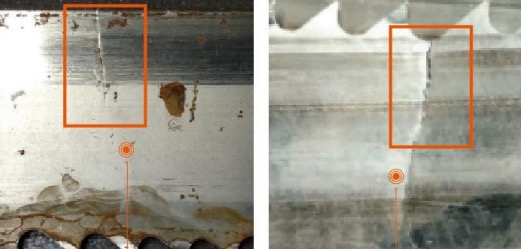
I've seen this issue countless times in my years in the industry. A factory manager calls me, completely frustrated. "We just put this blade on, and it's already cracked! Are your blades low quality?" It's a fair question, but 9 out of 10 times, the problem isn't the blade. It's the machine. A band saw is a complex system. Every part must work together perfectly. When one component is off, it puts incredible stress on the blade. Let's walk through the most common machine-related causes I see, so you can diagnose the problem and get back to making smooth, efficient cuts.
Did You Choose the Right Blade and Break It In Correctly?
Are you sure the blade on your machine is the right fit? Choosing the wrong one or skipping the break-in period is a common mistake that leads to instant problems.
Using a blade that is too thick for your machine's wheel diameter causes rapid metal fatigue. Similarly, an incorrect tooth profile or failing to properly break in a new blade will create stress points, leading to cracks in the gullets and a very short service life.

Let's dive deeper into this. It's more than just picking a blade that fits. You have to match the blade's specifications to your machine's design and your cutting application.
Blade Thickness and Wheel Diameter
Think about bending a thick piece of metal back and forth. It will snap much faster than a thin piece. The same principle applies to your band saw blade. It constantly bends around the machine's wheels. If the blade is too thick and stiff for the wheel's diameter, the bending is too severe. This creates extreme stress on the back of the blade, causing it to fatigue and crack very quickly. As a general rule, you should check your machine's manual for the recommended blade thickness.
Blade Teeth and Break-In
The teeth do the cutting. If the tooth pitch (TPI, or Teeth Per Inch) is wrong for your material, you'll have problems. Too many teeth can clog with chips. Too few teeth can cause each tooth to take too big of a "bite," leading to high stress and vibration. A new blade's teeth are also extremely sharp, like tiny knives. If you run them at full speed and pressure right away, they can chip or dull unevenly. This is why a break-in period is critical. You must run the new blade at a reduced feed rate for the first 15-20 minutes of cutting to gently hone the tooth tips. Skipping this step is a guaranteed way to shorten a blade's life.
Are Your Machine's Tension and Feed Rate Set Too High?
Are you pushing your machine too hard? Setting the tension or feed rate too high is like driving a car with the engine constantly at its redline. It will lead to a breakdown.
Excessive blade tension stretches the blade beyond its elastic limit, making it brittle and prone to cracking. A feed rate that is too high forces the teeth to chip and can cause the entire blade to fracture under the immense cutting pressure. Both are common setup errors.
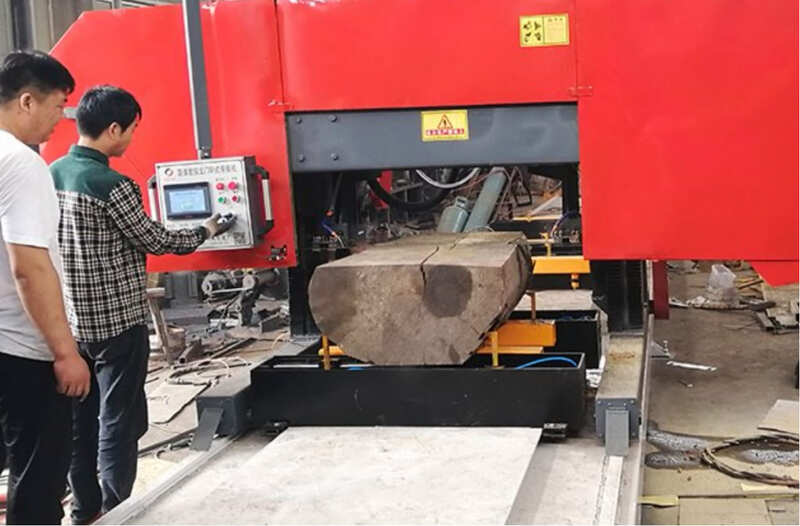
I once visited a customer who was breaking a blade every single day. The first thing I checked was his machine settings. The tension gauge was cranked up all the way, and he was trying to cut through thick steel at a speed meant for aluminum. It's an easy mistake to make when you're in a hurry, but it's a costly one.
Finding the Right Tension
Proper tension is essential to keep the blade running straight and true. However, "more" is not "better." Too much tension over-stretches the blade body. This constant, excessive pulling force weakens the steel's structure. Imagine a stretched rubber band left in the sun; it becomes brittle and snaps easily. The same happens to your blade. It loses its ability to flex and absorb the vibrations of cutting, so small stress points quickly turn into large cracks. Always use a tension gauge and follow the blade manufacturer's recommendations for your specific blade width and thickness.
| Blade Width | General Tension (PSI) |
|---|---|
| 1/4" (6mm) | 15,000 - 20,000 |
| 1/2" (13mm) | 20,000 - 25,000 |
| 1" (27mm) | 25,000 - 30,000 |
| 2" (54mm) | 25,000 - 30,000 |
Note: This is a general guide. Always consult your manufacturer.
Balancing Your Feed Rate
The feed rate is how fast you push the material into the blade. If it's too high, you are forcing the teeth to remove more material than they were designed for. This creates massive pressure and can cause the teeth to chip or the blade to violently vibrate, leading to cracks. On the other hand, a feed rate that is too slow is also damaging. It causes the teeth to rub against the material instead of cutting it. This generates a huge amount of friction and heat, which can ruin the blade's temper and cause it to fail. The key is to produce a good chip. A good chip is curled and warm, not dusty (too slow) or blue and burnt (too fast).
Is Your Machine Clean and Properly Lubricated?
Are you neglecting basic machine hygiene? A buildup of metal chips and a lack of proper lubrication are silent killers for band saw blades, creating friction and stress where it shouldn't be.
Metal chips and other debris can get trapped between the blade and the machine's wheels or guides. This creates high-stress points and misaligns the blade. Without proper coolant or lubrication, friction generates excessive heat, which weakens the blade steel and leads to cracks.
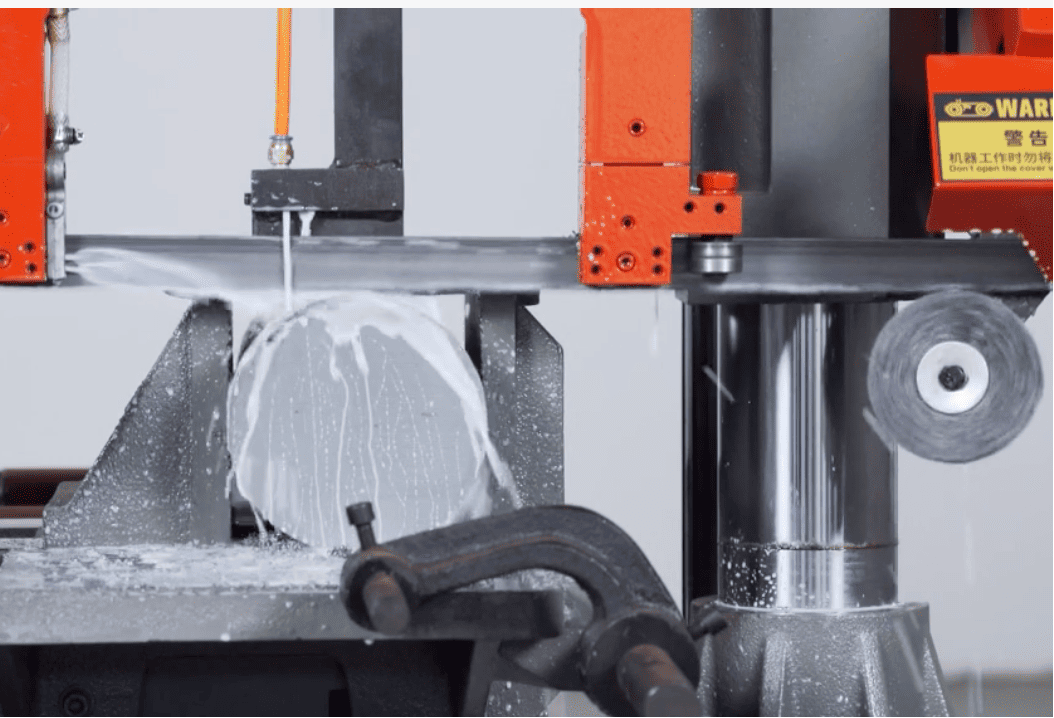
It sounds simple, but you would be surprised how many cracked blades I've diagnosed that were caused by a dirty machine. Chips can pack onto the wheels, creating an uneven surface that flexes and stresses the blade with every rotation. They can also jam the blade guides.
The Importance of Cleanliness
Your band saw machine likely has a wire brush designed to clean chips from the blade's gullets as it exits the cut. You must ensure this brush is in good condition and properly positioned. If it's worn out or not touching the blade, it can't do its job. Chips will get carried around the wheels. These packed chips act like a lump on the wheel, causing the blade to bend and stretch unevenly, which is a perfect recipe for fatigue cracks. You should also regularly clean the wheels and the area around the blade guides.
The Role of Coolant
Coolant, or cutting fluid, does more than just cool the blade. It serves three critical functions:
- Lubrication: It reduces the friction between the blade and the material being cut. This means less force is needed, and the cut is smoother.
- Heat Removal: It carries away the intense heat generated at the tooth's cutting edge. This preserves the blade's hardness and temper.
- Chip Flushing: The flow of coolant helps wash chips away from the cut and the blade gullets, preventing them from being carried into the machine's components.
Running a blade dry or with an inadequate flow of coolant is a major cause of heat-related cracks and premature dulling.
Are Your Machine's Wheels and Guides Worn Out?
Have you inspected your machine's wheels and guides recently? Worn-out components can cause the blade to vibrate, twist, and bend incorrectly, leading to rapid failure.
Worn band wheels lose their flat surface, causing the blade to ride unevenly and experience fluctuating tension. Similarly, worn or misaligned guide blocks or rollers fail to support the blade properly, allowing it to twist and leading to cracks on the blade's back or sides.
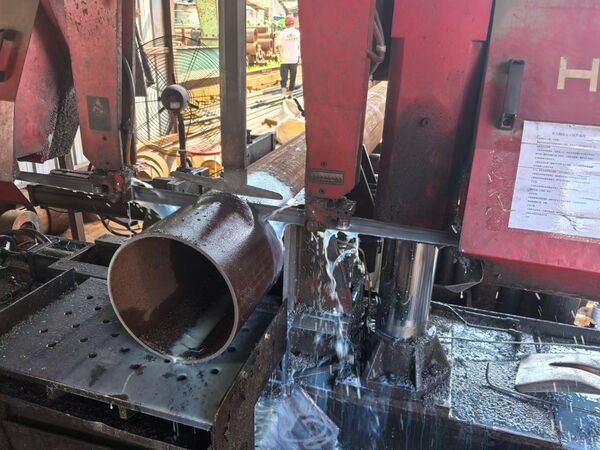
These parts are consumables, just like the blade itself. They wear down over time and must be checked and replaced regularly. I remember a case where a customer's blades were all cracking near the back edge. We inspected the machine and found the thrust roller behind the blade was completely seized. The back of the blade was rubbing against a stationary piece of metal, creating immense heat and stress.
Wheel Wear and Alignment
The band wheels must be perfectly flat and parallel to each other. Over time, the surface can wear down, creating a "crowned" or concave shape. When this happens, the blade doesn't have a stable, flat surface to ride on. It can start to wander, and the tension across the blade's width becomes uneven. The side of the blade under more tension will be more likely to develop fatigue cracks. You can check for wheel wear with a straightedge. Also, check the drive belt that connects the motor to the wheels. A worn, slipping belt can introduce vibrations that are directly transferred to the blade.
Guide Block and Roller Wear
The blade guides (either blocks or rollers) are critical for supporting the blade right next to the cut. They prevent it from twisting or deflecting under cutting pressure.
- Side Guides: These support the sides of the blade. If they are worn or set too far apart, the blade can twist in the cut. This twisting action puts a huge strain on the blade body.
- Thrust Guides: This guide supports the back of the blade and prevents it from being pushed backward by the cutting force. If this roller is worn, grooved, or seized, it will damage the back of the blade.
These guides must be adjusted so they are almost touching the blade, but not binding it. Any abnormal wear marks on the side or back of a failed blade are a clear sign that you need to inspect your guides.
Could Worn Bearings Be the Hidden Cause?
Do you hear any rumbling or grinding noises from your machine? Worn-out wheel bearings are a less obvious but very destructive cause of blade cracking, creating subtle vibrations and alignment issues.
When the main wheel bearings wear out, they allow the wheels to wobble or shift slightly during operation. This movement, even if it's tiny, causes the blade tension to fluctuate constantly and can lead to severe vibration, resulting in rapid fatigue failure of the blade.
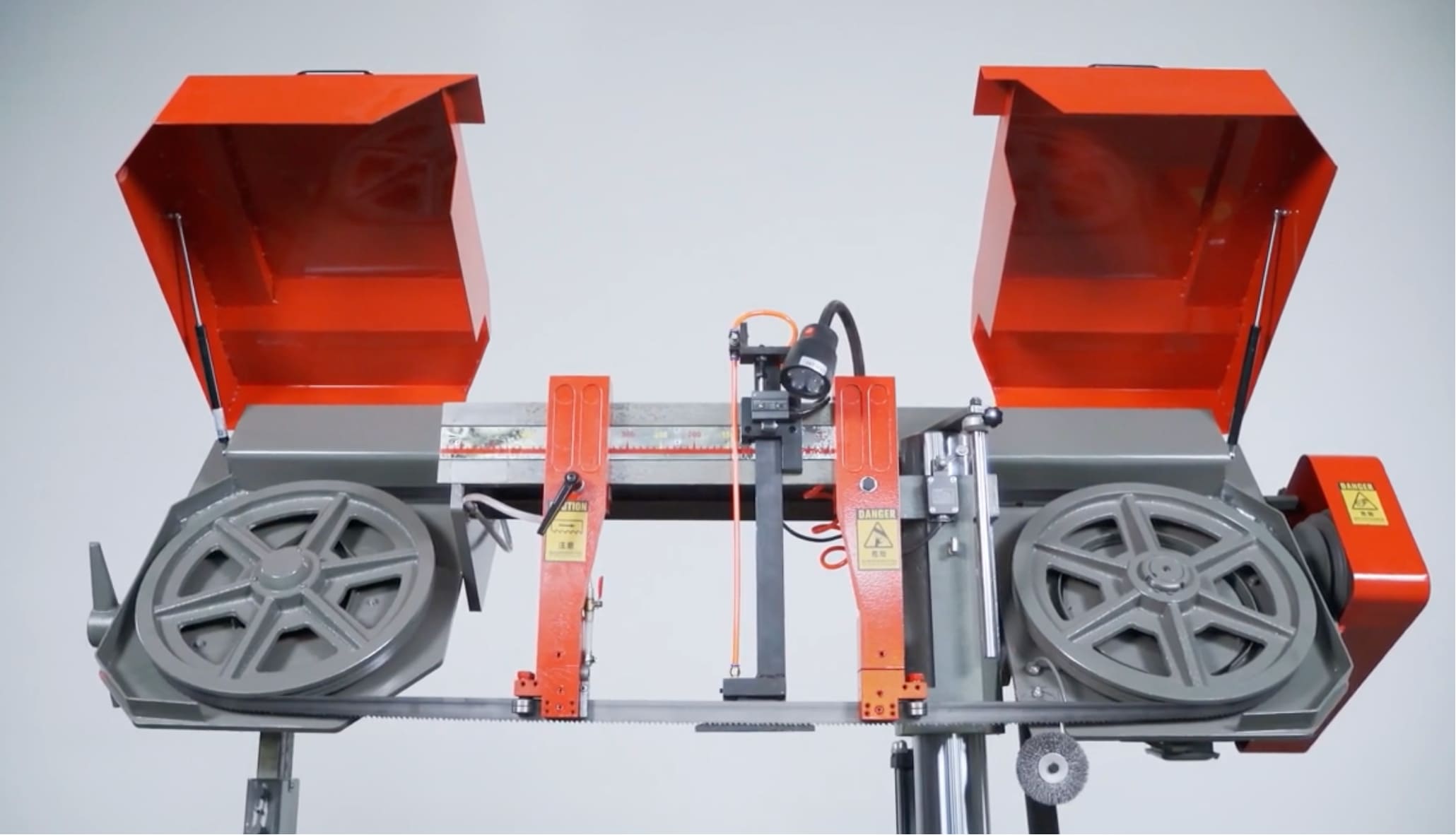
This is one of the trickiest problems to diagnose because it's not always visible. The machine might seem fine when it's off. But once it gets up to speed, worn bearings can introduce a destructive wobble. I had a client who had tried everything—new blades, new guides, different speeds—and his blades kept breaking. Finally, we shut the machine down and checked the wheels. There was a small but noticeable amount of play when we tried to move the wheel side-to-side. It was a classic case of failed bearings.
How Bearings Affect the Blade
The bearings are what the band wheels spin on. They are designed to allow smooth, stable rotation with no side-to-side movement. When they wear down, a "wobble" is introduced. This has two major negative effects on the blade:
- Tension Fluctuation: As the wheel wobbles, it is constantly tightening and loosening the blade with every single rotation. This rapid cycling between high and low tension is a major cause of metal fatigue.
- Vibration and Tracking Issues: The wobble creates a powerful vibration that travels through the entire blade. It also causes the blade to track improperly on the wheel, often rubbing against the wheel flanges. This combination of vibration and friction is extremely damaging.
How to Check for Worn Bearings
To check for worn bearings, first, ensure the machine is powered off and properly locked out. Remove the saw blade. Then, grab the top and bottom of one of the band wheels and try to wiggle it side-to-side. There should be no noticeable play or clunking sound. If you can feel movement, your bearings are likely worn and need to be replaced. Also, listen carefully to your machine while it's running (without a blade on). A rumbling, grinding, or whining sound that changes with speed is a strong indicator of a bearing problem. Addressing this not only saves your blades but also prevents more catastrophic machine failure down the road.
Conclusion
Correctly operating and maintaining your band saw machine is key. While blade cracking can't be eliminated entirely, these steps will greatly extend blade life and boost your cutting efficiency.